

Your archive on your computer, always in step.
The Windows, macOS and Linux app keeps a folder in sync with your archive, in both directions. On Windows, on macOS and with the AppImage on Linux it installs without administrator rights, and it never deletes a file for good.
Two-way sync
What you change in the folder reaches the archive, and the other way round.
Secure sign-in
Email, password and two-step verification. Credentials stay in the system keychain.
No lost files
Deleted files go to your computer’s trash; a conflict creates a copy.
Signed updates
The app only installs updates signed by Armada and verified before installation.
Corporate networks
It uses the system proxy or a manual one, just like the browser.
Trash with restore
Restore deleted files straight from the app.
Folders shared with you
Folders your colleagues share with you arrive on your computer, read-only.
File protection
Asks before deleting many files and pauses uploading if ransomware damages them.
Even offline
The files in the folder stay on your computer: you open and edit them offline, and they sync when the connection is back.
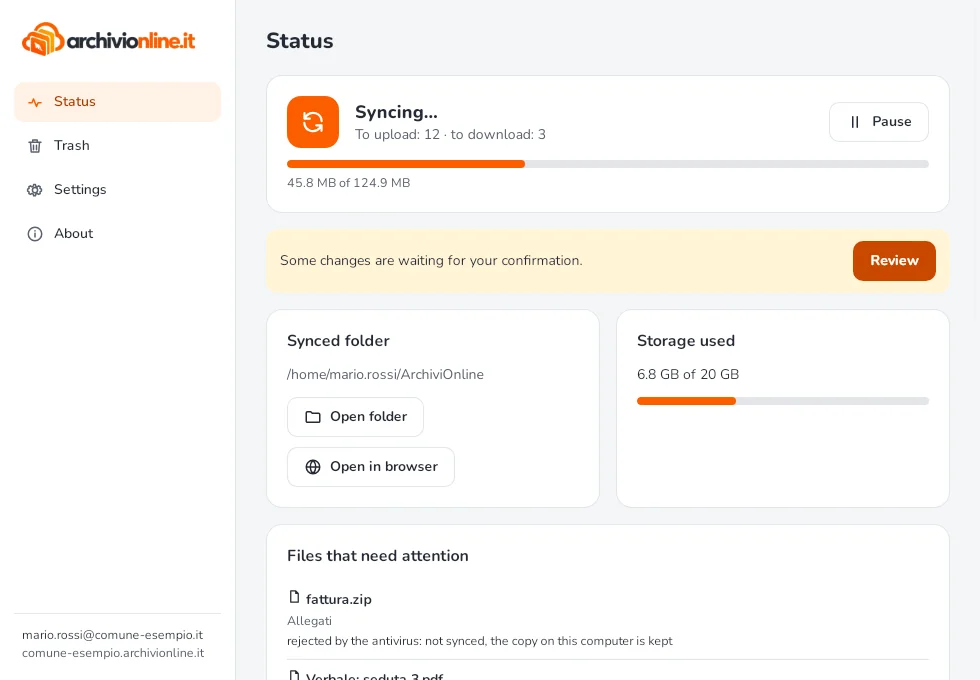
Status and storage at a glance
See at a glance whether everything is in sync and how much storage you are using.
App guide
Short, step-by-step articles.
Getting started
Every day
On phones and tablets, in the browser
Open your archive’s address in your phone or tablet browser: view, upload and share documents without installing anything.