

Disconnect the computer and uninstall the app
Disconnect a computer from the archive, manage devices on the website and uninstall ArchiviOnline without losing files.
Updated on 2 November 2026
Disconnect this computer
In Settings › Account select Disconnect this computer. Syncing stops and the computer is disconnected from the archive. The files in the folder stay on the computer.
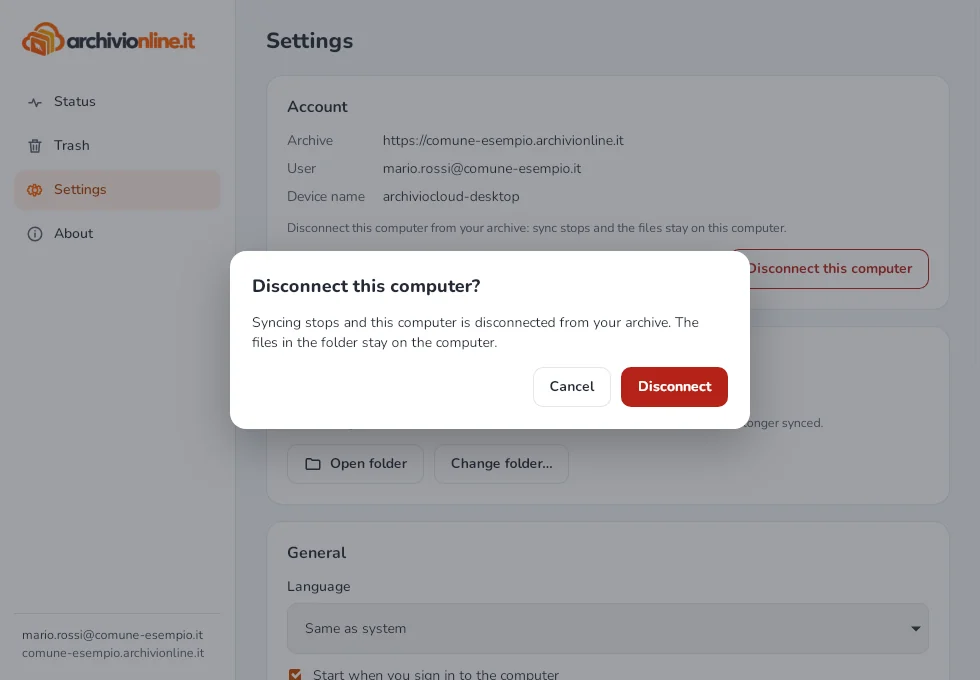
Disconnect a lost computer
On the archive website, you or your administrator can disconnect a computer, for example after it’s lost: in the app’s Settings › Account you’ll find the Manage devices on the website link. The next time it contacts the archive, the disconnected computer stops syncing and deletes its saved access. Files already on that computer are not touched.
If it’s your computer and all is well, when “This computer has been disconnected from your archive” appears, select Sign in again: syncing resumes without downloading everything again.
Uninstall
Before uninstalling, it’s best to use Disconnect this computer.
- Windows: Settings › Apps › Installed apps › ArchiviOnline › Uninstall.
- Mac: quit ArchiviOnline from its icon with Quit and drag the app from Applications to the Trash.
- Linux: with the .deb
sudo apt remove archivi-online; with the .rpmsudo dnf remove archivi-online(openSUSE:sudo zypper remove archivi-online); with the AppImage quit the app, untick Open ArchiviOnline when the computer starts in Settings › General and delete the file.
The synced folder and your files always stay on the computer.
Still stuck?
Contact HostingPerTe.it support: tell us the app version, your system and what happened.