

Conflicts, copies and changes to confirm
What happens when the same file changes in two places, and why the app asks for confirmation when many files change at once.
Updated on 6 October 2026
The same file changed in two places
If a file is changed both on the computer and in the archive before the two have caught up, neither version is lost. The file keeps the archive version and yours becomes a copy next to it, with a name like:
Report (conflicted copy of OFFICE-PC 2026-10-03 1015).docx
Compare the two versions, keep the right one, copying changes across if needed, and delete the copy.
To avoid conflicts: close documents when you’ve finished and don’t edit the same file from two computers while one of them is offline.
Many deletions or changes at once
If more than 50 items are deleted or changed within a few minutes, ArchiviOnline stops and asks for confirmation. It’s a safeguard against mistakes and against viruses that encrypt files.
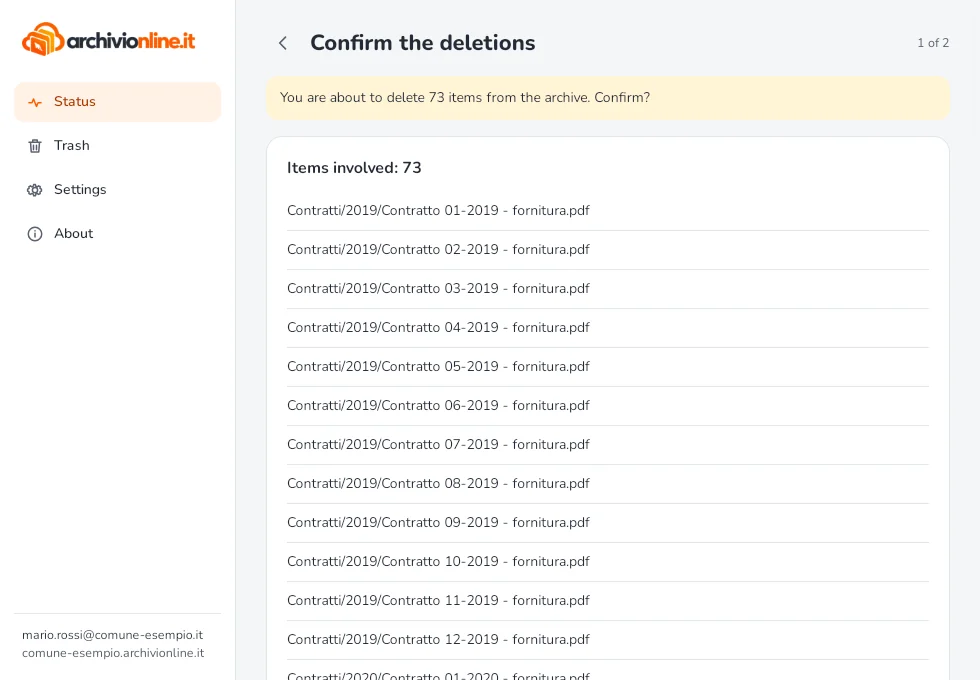
The window shows “Waiting for your confirmation” with a Review button listing everything:
- Confirm: the changes are applied;
- Don’t confirm: the changes are not applied. For example, files deleted on the computer are downloaded again from the archive.
The rest of the sync carries on in the meantime.
If you didn’t change all those files, for example because they became unreadable or have a strange extension, don’t confirm, disconnect the computer from the network and call support straight away. Previous versions of the files stay in the archive.
Still stuck?
Contact HostingPerTe.it support: tell us the app version, your system and what happened.