

First sign-in with your archive address
Connect the app to your archive with its address, your email, password and two-step verification.
Updated on 2 November 2026
The first time you start the app, a three-step setup connects it to your archive.
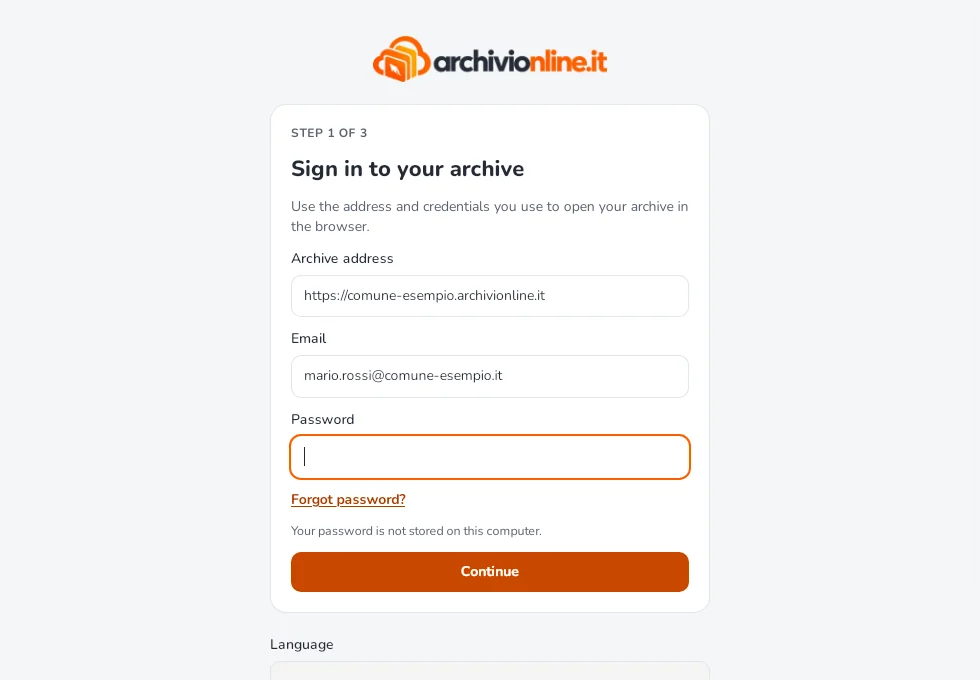
1. Sign in to your archive
Enter the archive address, the same one you open in your browser (for example https://yourtown.archivionline.it), then your email and password, and select Continue.
- The address must start with
https://: the app only accepts secure connections. - Your password is never saved on the computer. The computer’s access is kept in the system keychain: Credential Manager on Windows, Keychain on the Mac, GNOME Keyring or KWallet on Linux.
- If you’ve forgotten your password, select Forgot password?: the archive’s reset page opens.
2. Two-step verification
If two-step verification is on for your account, enter the 6-digit code from your authenticator app and select Verify.
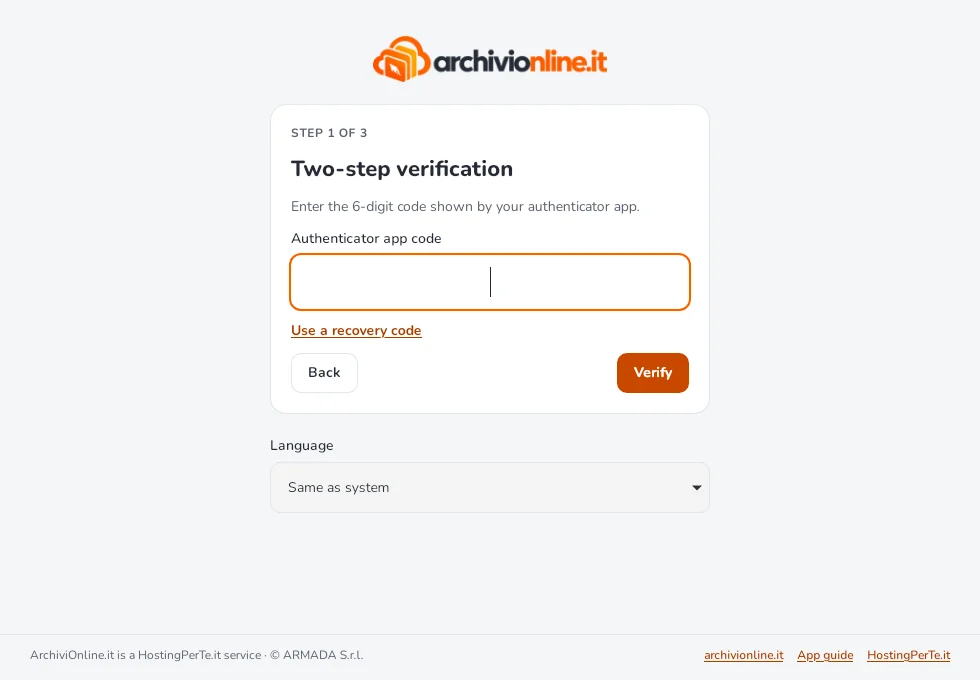
If you don’t have your phone, choose Use a recovery code and enter one of the codes you saved when you turned on verification. Each code works once. Without your phone or codes, only your archive’s administrator can reset verification.
3. Choose the folder and start
The app suggests an ArchiviOnline folder in your home folder: you can pick another one. Check the summary and select Start syncing. We recommend leaving Start ArchiviOnline when the computer starts ticked.
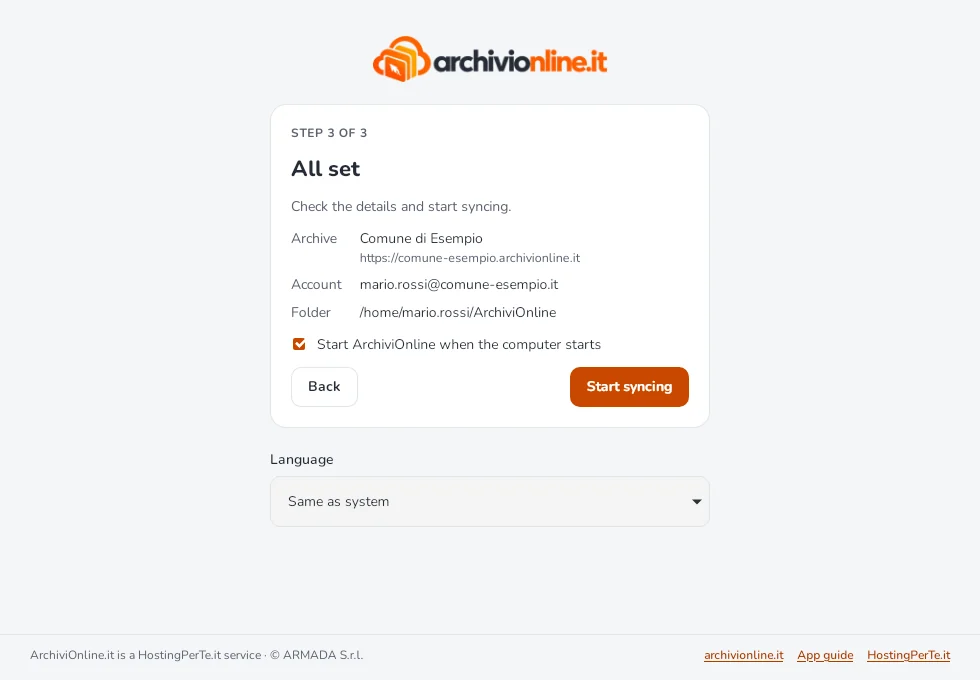
The first sync can take a while if the archive contains many files.
Messages you may see
| Message | What to do |
|---|---|
| Invalid address | Enter the full address of your archive, the one you use in the browser. |
| Archive unreachable | Check the address by opening it in your browser, and check your Internet connection. If the browser opens it but the app doesn’t, see Corporate proxies. |
| Incorrect email or password | Check capital letters and keyboard layout, or reset your password. |
| Your account isn’t enabled for sync | Your archive’s administrator needs to enable syncing. Once they have, select Try again. |
| This archive doesn’t support the desktop app yet | See the dedicated article. |
Still stuck?
Contact HostingPerTe.it support: tell us the app version, your system and what happened.