

App updates
How ArchiviOnline checks for and installs updates, and what to do if your archive needs a newer version.
Updated on 2 November 2026
ArchiviOnline checks for updates when it starts and once a day. You can also check manually with About › Check for updates.
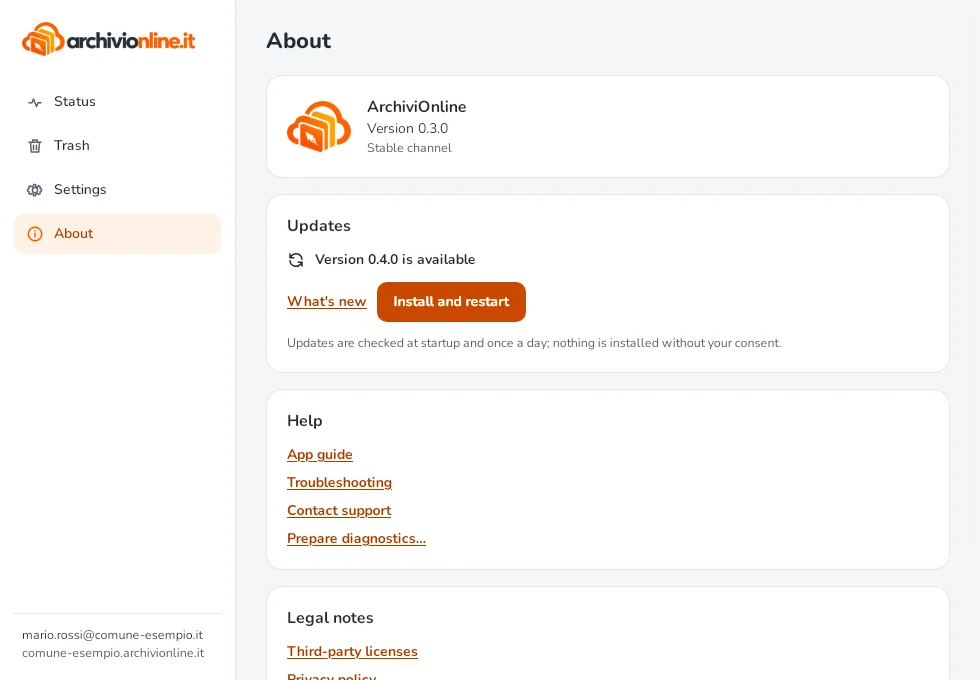
When an update is available you get a notification and Install and restart appears: nothing is installed without your consent. Settings, sign-in and files stay as they are.
On Linux only the AppImage updates itself. With the .deb and .rpm packages, when a new version is out the app tells you in About, with Open the download page: install the new package over the current one. See Install the app on Linux.
Signed updates
Only updates signed by Armada are installed: the app checks the signature before installing and rejects everything else. That’s why updating from the app is safe.
What’s new in each version is in What’s new in the app.
“Update required”
If you see “This version of ArchiviOnline is too old” or a message saying a minimum version is needed, your archive requires a newer version. Select Install and restart if it appears; otherwise select Download the latest version and install it over the current one from the Download page.
Still stuck?
Contact HostingPerTe.it support: tell us the app version, your system and what happened.